
Charge Limit
Stop at 80%, or anywhere from 20% to 100%. With Coasting, the battery drifts a few percent below the limit before charging again instead of topping up all day. Kelvin sets the limit built into macOS, so nothing keeps polling.
Battery care for your Mac.
Light, instant and private.
Kelvin keeps your MacBook's battery at the level you choose, pauses charging when it runs hot, and shows where every watt goes. It lives in your menu bar and opens the moment you click it.
Paste it into Terminal. Kelvin installs and opens in a few seconds.
Free.Free and open source. For MacBooks with Apple silicon on macOS 26 or later.

Kelvin draws its icon the way macOS draws the battery: yellow in Low Power Mode, red when the battery runs low, a bolt while charging, a plug while it holds your limit and a flame when Heat Protection steps in.
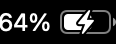 Charging
 At your limit
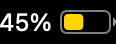 Low Power Mode
 Low battery
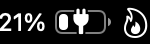 Heat Protection
Limits, protection and a clear view of your power, without the clutter.
Stop at 80%, or anywhere from 20% to 100%. With Coasting, the battery drifts a few percent below the limit before charging again instead of topping up all day. Kelvin sets the limit built into macOS, so nothing keeps polling.
Charging pauses while the battery is warmer than your limit, in Celsius or Fahrenheit. Top Up charges through it when you need a full battery.
Watch power come from the adapter and the battery, run your Mac, and go on to the apps drawing a few watts or more, each with its own branch and icon. Click either side of the flow to focus on it.

Charge to 100% once before a trip, bring the battery down to your limit while plugged in, or run a full calibration in one click.
Battery level, power, temperature and energy by app, a sample a minute, kept on your Mac. It starts with the month macOS already has.
Change the limit on a schedule or from Shortcuts, and import your settings from AlDente.
The dashboard puts the power flow, battery health, adapter specs and every chart in one window, from the last hour to the last month.


With the popover closed, Kelvin wakes once a minute to take a sample and otherwise only when macOS reports a change. It writes its log every ten minutes and draws its windows only while you look at them.
Measured on a MacBook Pro with M4 and macOS 27 while it was busy with other work: average CPU over sixteen minutes with the popover closed, memory footprint, and the median time from opening the popover to its first drawn frame. The popover is built once at launch, so opening it only has to show it. The charge control helper quits within two minutes of its last use.
Changing the charge limit needs administrator rights. Kelvin's small helper asks for them once, in System Settings › General › Login Items.
Pick a limit and the features you want. Kelvin works out what the battery should do and hands that one number to macOS.
Kelvin opens at login and keeps its log in the background. The helper only runs while Kelvin needs it, then quits.
Kelvin itself makes no network connections. There's no account, no analytics and no tracking. Your history lives in a small database on your Mac, and you can export or delete it whenever you like.
Partly. macOS 27 can stop charging at a limit you set in System Settings › Battery, and Kelvin sets that same limit underneath, so macOS stays in charge of the charging itself. What macOS leaves out is everything around it: pausing when the battery runs hot, coasting a few percent below the limit, topping up to 100% once, discharging while plugged in, calibration, power per app, history beyond the last ten days, and a menu bar icon that shows when charging is held at your limit or paused for heat.
MacBooks with Apple silicon on macOS 26 or later. Charge control uses the charge limit built into macOS. Where macOS doesn't offer it, Kelvin still shows your battery, power and history but can't limit charging.
Yes. Kelvin is a lighter alternative to AlDente, and on first launch it can copy your AlDente settings, including the limit, Sailing (Kelvin calls it Coasting), Heat Protection, sleep and menu bar options. AlDente keeps its history encrypted, so Kelvin starts from the battery history macOS keeps instead, about a month of it. While AlDente is running, Kelvin only watches, so the two never fight over the battery. Quit AlDente when you're ready.
It's an estimate, like the one in Activity Monitor. Kelvin reads each process's CPU energy from macOS, splits the GPU's power by GPU time and adds helper processes to the app they belong to. Background and macOS processes get a line of their own, and what no process accounts for, like the display, memory, storage and Wi-Fi, is the rest of the Mac.
Changing the charge limit, the MagSafe light and Low Power Mode requires root, and so does reading how much energy macOS's own processes use. The helper only accepts requests from Kelvin signed by the same developer, runs while Kelvin needs it and quits again shortly after.
By default the battery stays at its current level until Kelvin is back. If you'd rather macOS charge normally while Kelvin is closed, turn off "Stop Charging When App Closed" in Sleep Behavior.
Yes. Shortcuts can set the limit, top up, pause charging, discharge, start a calibration, switch the MagSafe light and Low Power Mode, and read the battery level, temperature and power.